Yantra - Zentso Project Management System for Clients
This is a user guide for Zentso clients using the client portal
My Projects
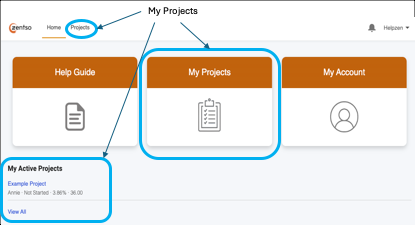
My Projects can be accessed from the Home Page as well as the navigation bar:
Selecting a Project will take you to the Project Information page:
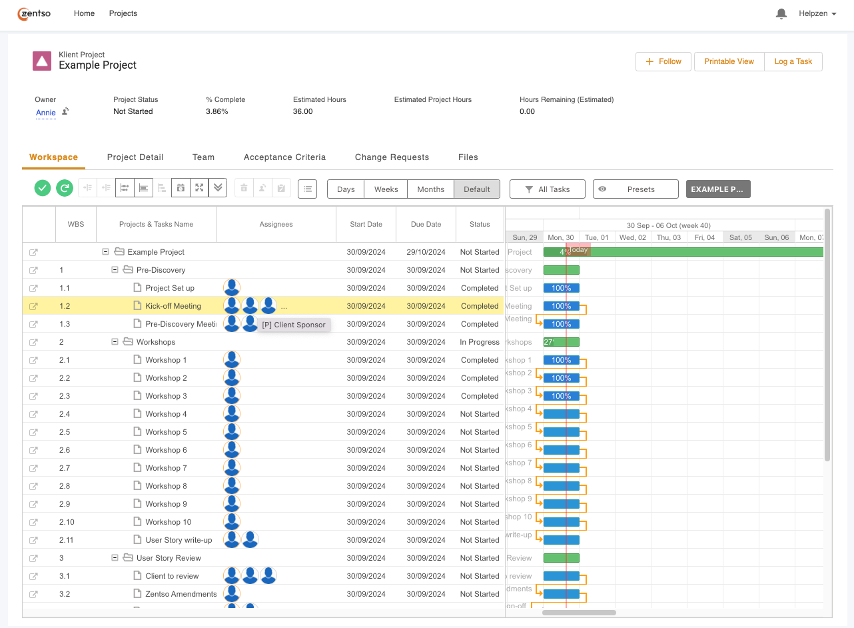
Workspace
The workspace shows a list of tasks and sub-tasks as well as associated dates and a status.
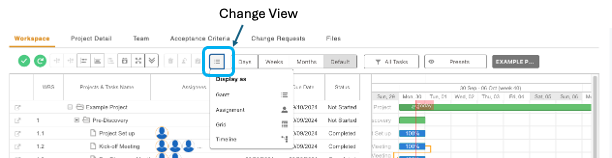
Changing the View:
The following views are available for the Workspace:
- Tasks only (Grid),
- Tasks and Gantt chart (Gantt),
- Gantt only (Timeline)
Changing Duration:
The following durations are available for the Gantt chart:
- Days
- Weeks
- Months

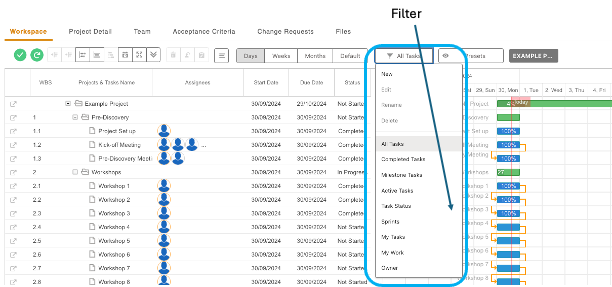
Filter:
Filters can be used to adjust the information displayed on the workspace:
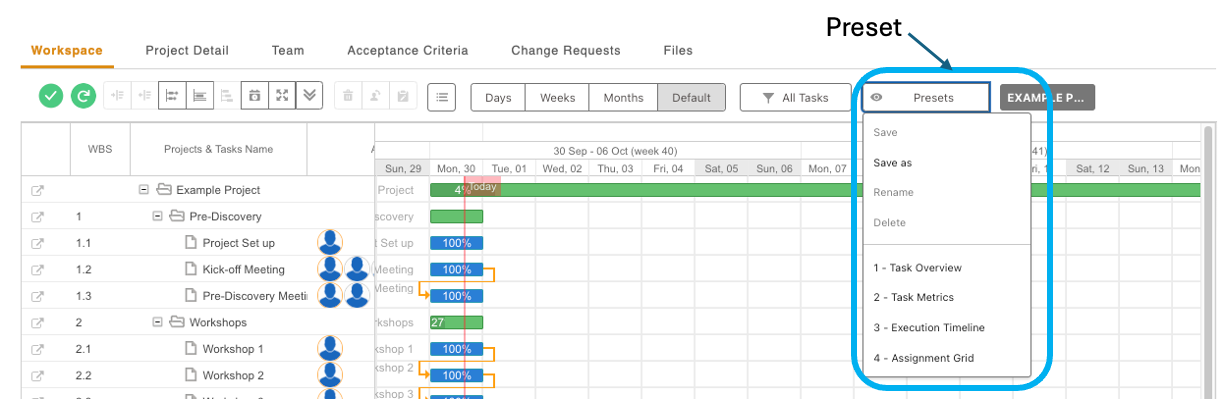
Presets:
Presets can be used to save the selected; View, Duration and/or Filter options. Use the ‘Save as’ feature to save the preset.
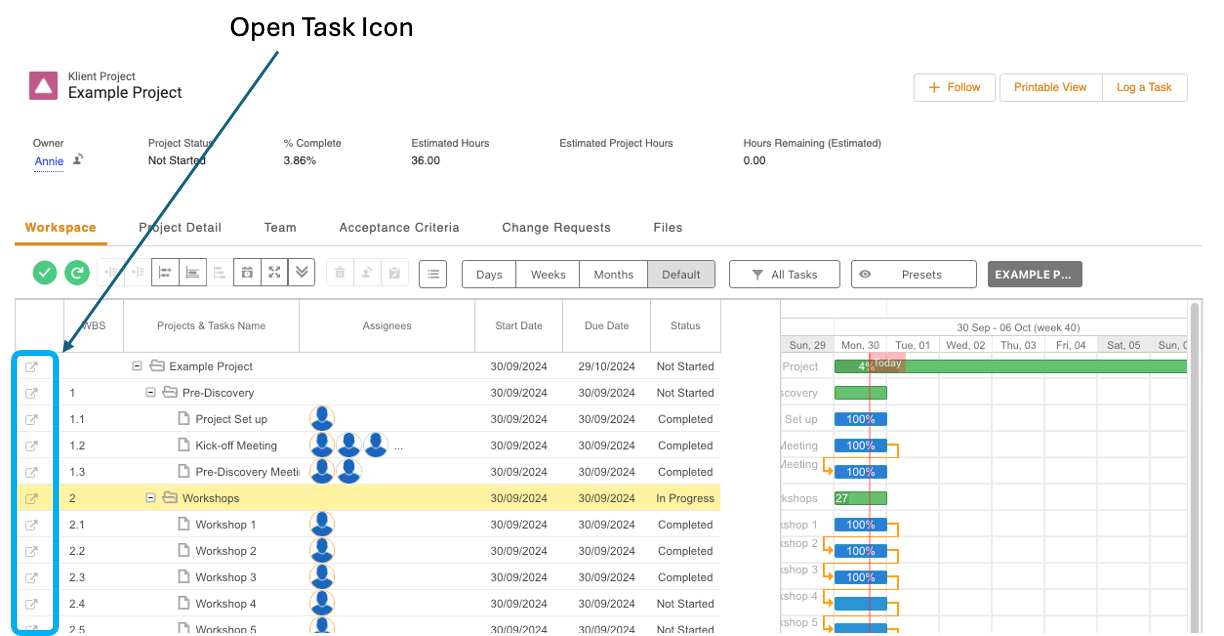
View Task Information
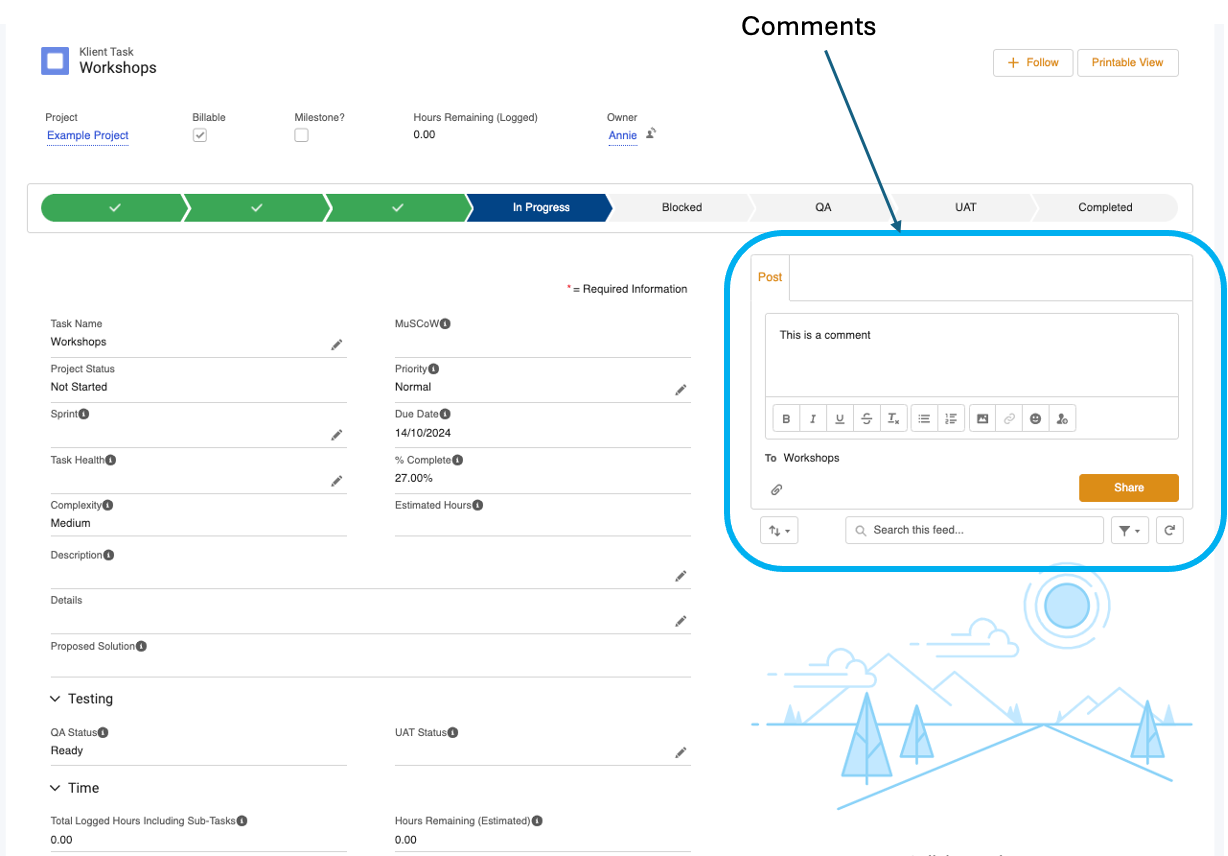
The Task page provides information about a selected task e.g., number of hours logged, number of hours remaining, task status, QA and UAT information.
Comments
Comments can be added to a task using the ‘Post’ feature:
IMPORTANT: You will need to @mention the contact, so they are notified of your comment.
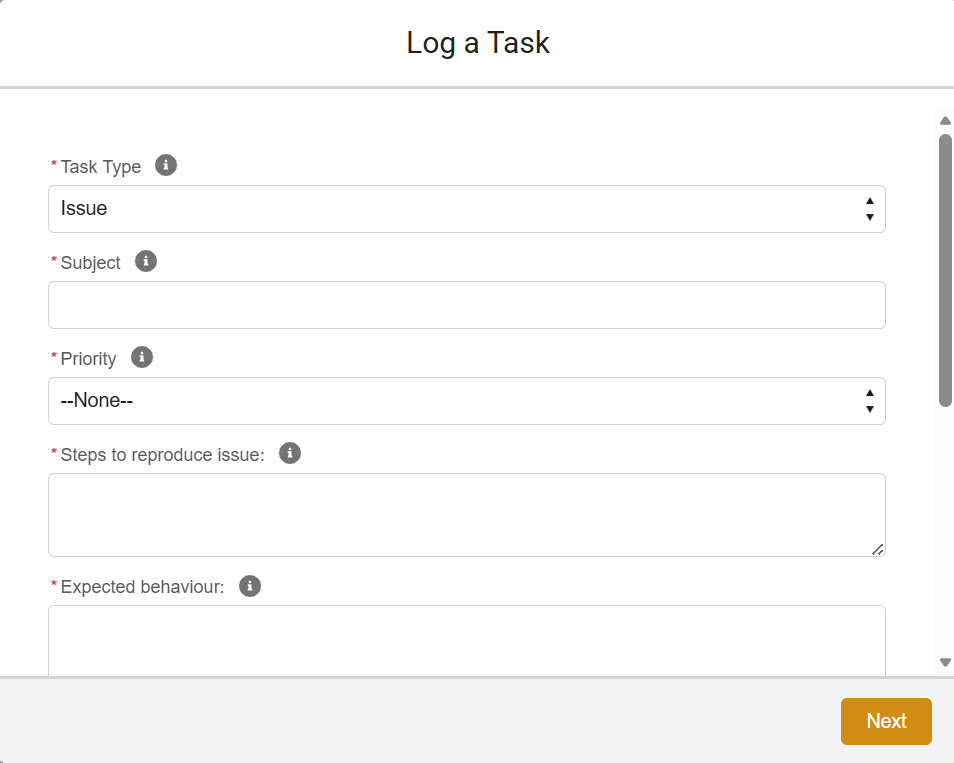
Log a Task for Zentso
Login page: https://zentso.my.site.com/
To log a task for Zentso, navigate to the Project and select ‘Log a Task’:

Fill out the task information and press Next to add files or images:
The task will appear at the bottom of the Workspace and Zentso will receive a notification and assign the task to a member of staff.
Best Practices
What type of task is it?
You will find the following choices when you log a task in Yantra:
- Issue
- New report functionality
- Bigger project/new implementation
Process for issues, small tasks:
Create a new task in Yantra. Give as much information as possible about what the issue is/what you require to be done.
What to include:
- The process that you have followed. More information is best! As much detail as possible. Assume that the consultant picking up the ticket has no prior experience of the environment (but knows your CRM)
- Screenshots. Quick. Easy. Efficient.
- Error messages – text or screenshots.
- URLs – specific links of where the behavior is occurring (or should occur).
- Screen recordings of specific scenarios. It allows us to easily replicate and then investigate.
- Sample IDs to use for testing.
- Who the user is logged in as.
- Which browser are you using.
Provide acceptance criteria for completion. It may be obvious, “fix it!
- When you have submitted a task, a default one hour investigation time will apply (unless you have specified differently). Usually, we would expect around an hour is sufficient. We can then inform you of our findings and how long (if required) it will take to complete the task and ask for your approval. In some scenarios our investigation will find that it is a product issue, in which case this should be logged with the product provider.
- You sign off on an estimate if you want to go ahead with the proposed work.
- We undertake the work. Before we get this back to you, we will test. If we take longer than has been estimated, we will come back to you for approval of more time and an explanation of why more is required. Please note, on occasion we may continue with work before requesting more time due to time sensitivity.
- We expect testing to occur on both sides. Sometimes this is iterative, so it may go back and forth depending on the issue. We will aim to have it right the first time!
- Once accepted by the client – this is completed and we will close ticket. If we do not hear from you in a reasonable period of time we will consider it complete.
Process for bigger/project pieces of work/new developments (c.20 hour projects)
For bigger pieces of work, you may want to consider contacting your account manager directly to discuss any upcoming work you may require.
We would need to know:
A clear scope of what you require to be developed or changed by Zentso.
What we’d like to see:
- Business context (the purpose, how it came about, why!)
- Desired outcome
- Dependencies between the task and other tasks – if known
- Enough information to assess the risk before starting the work – if known
Please also provide timeframes for when the work is required by (if applicable).
For larger pieces of work, Zentso will spend some time to propose a solution and an estimate how long it will take to complete this. The amount of time to do this will depend on the size of the project/request itself. Work required to analyse the level of effort required is billable.
Please do not:
- Email us with tickets – use Yantra, unless it is an emergency!
- Conflate tickets
- Duplicate tickets
- Give us limited information